

TIGHTENING 2D CHARACTER LIP SYNCS
Check out My Workflow in Abode Character Animator
As an ardent user of Adobe After Effects for animation, I see a trendy infiltration and replacement of the traditional animator who works tirelessly on animations for “easy click and drag templatized animation software” like Vyond formerly go-animate, video scribe, crazy talk and myriad others out there.
These companies usually advertise their products with cliche verbiage such as “Create with Ease in Our Animation Video Software. Start Your 14 Day Free Trial. Marketing Video Production. Create Demo Videos. Whiteboard Explainers. Business Services. Animated Processes. Easy to Use. Template Software. Create & Educate. Capture Audiences. Monthly Plan – $39.00/mo.”
The beef I have with these templatized applications is how they cheapen our time-honored animation craft. They tend to lack that detail that makes animation great. For example, lip syncs look forced, coupled with the annoying computer generated robotic voice-overs, though they do offer the option of uploading your own recorded voice over.
These animations lack quality as opposed to those done in Adobe’s Character Animator that appear lifelike, natural, and organic. From lip sync to movements, to gestures, all seems to be in harmonic balance.
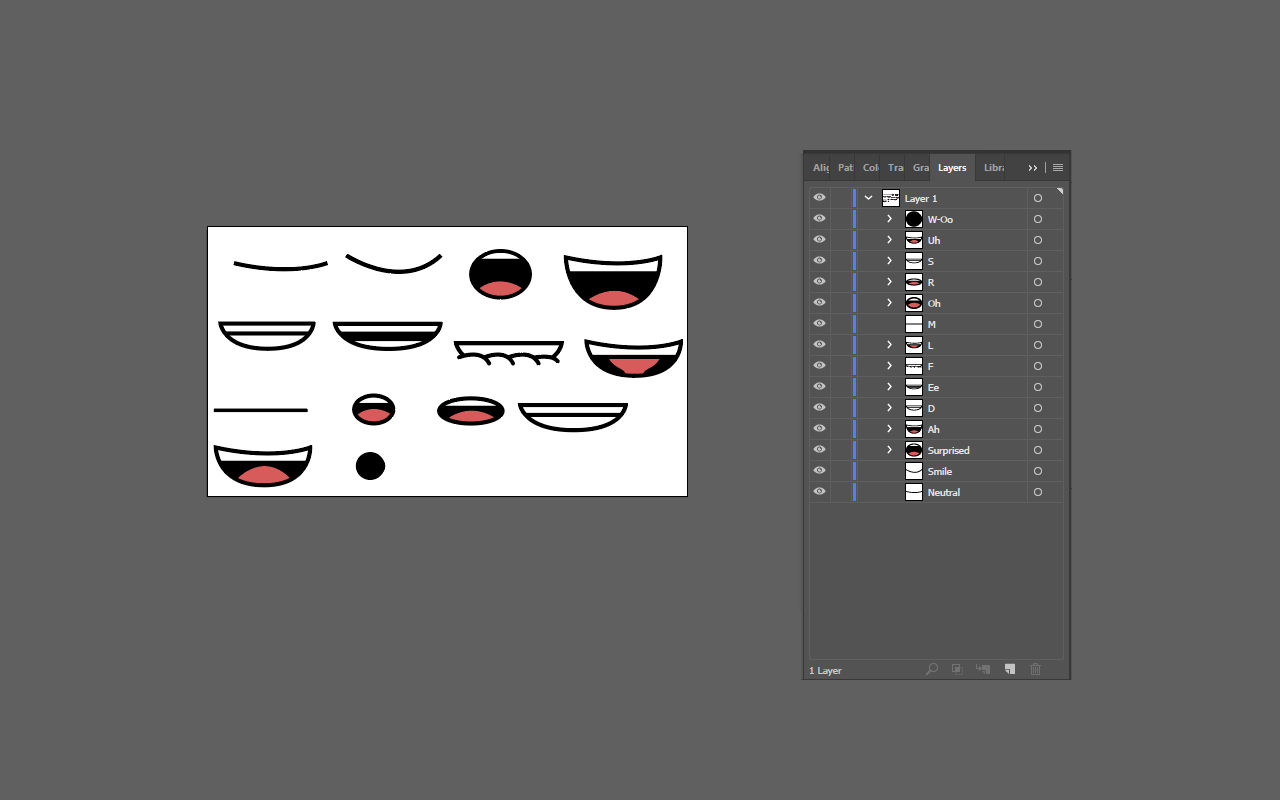
In this example, I will demonstrate how to lip sync with precision.
You are free to download and use this PDF tutorial exercise file.
1. In Photoshop or Illustrator, make sure these mouths shapes are named and arranged in the same style as these
2. Character Animator matches mouth names then translates them into speech
3. Import the file
4. Create a new scene
5. Import your voice file
6. Click the artwork, then click on the timeline > compute lip sync from scene audio
7. Conversion kicks in
8. Then render the final file, by going to file > export > video via adobe media encoder
Note: If you want to compose the lip sync further in after effects:
1. Then go to file > export > png sequence and wav
2. In After Effects > File > Scripts > New Comp from Character Animator Recording.jsx
Are you having problems with your lip syncing?
Contact me for support!
Leave a Reply
Want to join the discussion?Feel free to contribute!